Tablets: Types, Working Technology & Complete Buying Guide
Tablets have become one of the most versatile gadgets in modern life. Whether you want a device for entertainment, studying, professional work, gaming, or creative tasks, tablets offer a balance between smartphones and laptops. With powerful processors, high-quality displays, and portable designs, tablets are now widely used by students, professionals, businesses, and casual users alike.
In this article, we will explore everything about tablets — their types, working technology, major features, advantages, disadvantages, and a detailed buying guide to help you choose the right tablet before purchasing.
What is a Tablet?
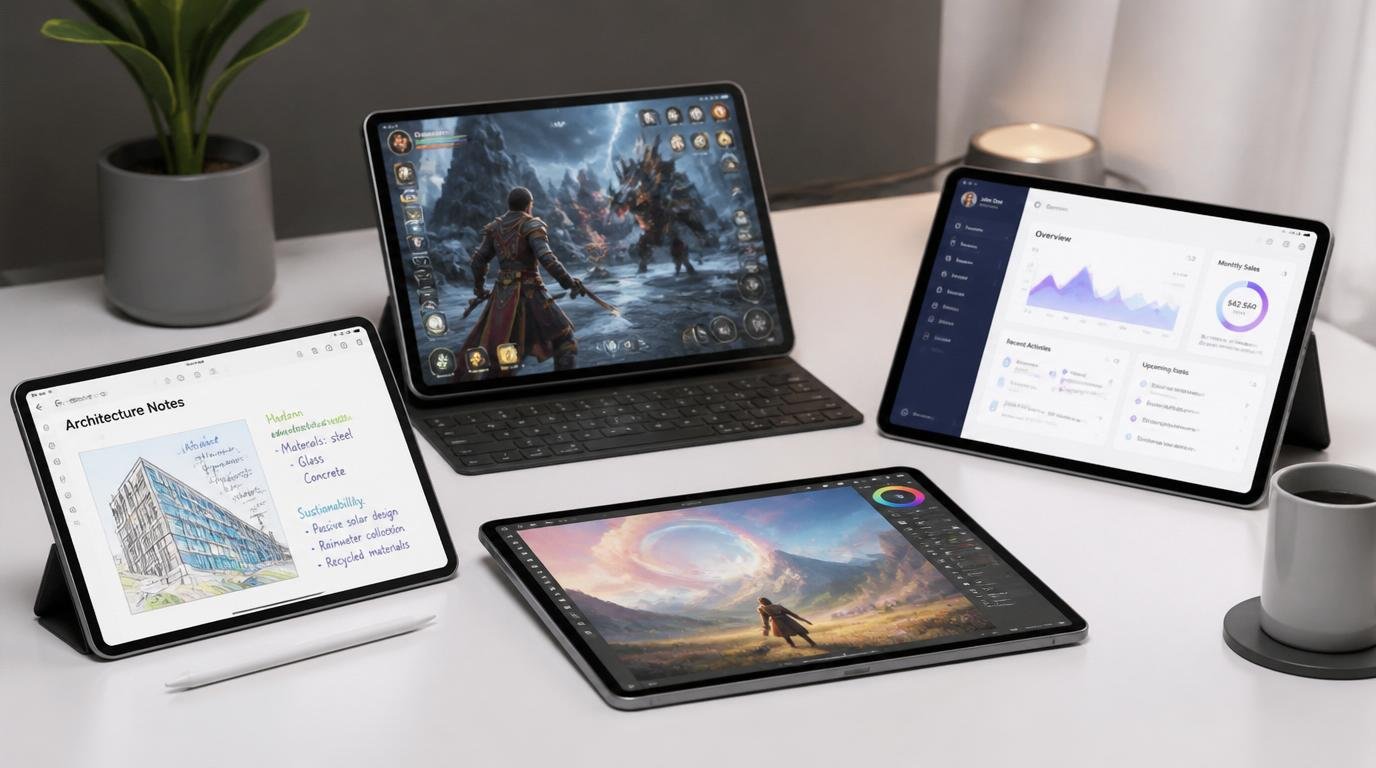
A tablet is a portable touchscreen computing device that combines the functionality of a smartphone and a laptop. It usually comes with a larger screen than a smartphone and is operated mainly through touch gestures, stylus input, or detachable keyboards.
Modern tablets can perform tasks such as:
- Web browsing
- Watching videos
- Reading eBooks
- Online classes
- Gaming
- Graphic designing
- Video editing
- Office work
- Digital drawing
- Video conferencing
Evolution of Tablets
The concept of tablets existed long before modern touchscreen devices. However, tablets became mainstream after the launch of modern touchscreen tablet devices in the early 2010s. Since then, many technology companies have introduced advanced tablets with innovative features.
Today’s tablets are equipped with desktop-grade processors, AI-powered software, multitasking features, and high-refresh-rate displays.
Types of Tablets
Different types of tablets are designed for different purposes. Understanding these categories helps buyers select the right device according to their needs.
1. Standard Tablets
These are general-purpose tablets designed for daily use.
Best For:
- Watching movies
- Browsing internet
- Online learning
- Casual gaming
- Social media
Features:
- Medium-sized display
- Lightweight design
- Affordable pricing
- Good battery life
2. Premium Tablets
Premium tablets deliver flagship-level performance and advanced features.
Best For:
- Professionals
- Heavy multitasking
- Video editing
- Creative work
Features:
- Powerful processors
- OLED or Mini-LED displays
- Stylus support
- Desktop-like performance
3. 2-in-1 Tablets
These tablets can transform into laptops using detachable keyboards.
Best For:
- Office work
- Students
- Business users
- Productivity tasks
Features:
- Keyboard support
- Desktop operating system
- Stylus compatibility
- Laptop-like functionality
4. Gaming Tablets
These tablets are designed specifically for gaming performance.
Best For:
- Mobile gaming
- Cloud gaming
- High-performance graphics
Features:
- High refresh rate displays
- Strong GPU performance
- Large battery
- Advanced cooling systems
5. Kids Tablets
Designed especially for children with parental controls and educational apps.
Best For:
- Learning
- Educational games
- Safe internet access
Features:
- Durable design
- Child-friendly interface
- Content restrictions
- Shockproof cases
How Tablets Work
A tablet works using integrated hardware and software systems optimized for touch-based computing.
1. Touchscreen Technology
Most tablets use capacitive touchscreen technology.
How It Works:
- The screen detects electrical changes from human fingers.
- Touch sensors identify gestures like tapping, swiping, and pinching.
- Multi-touch support allows multiple finger inputs simultaneously.
Benefits include:
- Fast response
- Smooth navigation
- Gesture controls
- Stylus compatibility
2. Processor (CPU & GPU)
The processor acts as the brain of the tablet.
CPU:
Handles calculations, app execution, and multitasking.
GPU:
Processes graphics for gaming, videos, and animations.
Popular processors include:
- Snapdragon chipsets
- Apple M-series chips
- MediaTek processors
3. Operating System
The operating system manages the tablet’s functions and applications.
Common Tablet Operating Systems
| OS | Features |
|---|---|
| iPadOS | Smooth performance and optimized apps |
| Android | Customization and wide app support |
| Windows | Desktop-like experience |
| ChromeOS | Lightweight productivity |
4. Battery Technology
Most tablets use lithium-ion or lithium-polymer batteries.
Advantages:
- Fast charging
- Long battery life
- Lightweight construction
- Rechargeable cycles
Modern tablets support:
- USB-C charging
- Fast charging
- Wireless accessories
5. Connectivity Technology
Tablets support multiple wireless technologies.
Common Connectivity Features:
- Wi-Fi
- Bluetooth
- 4G/5G
- GPS
- NFC
Some premium tablets also support:
- External monitor connectivity
- Keyboard accessories
- Cloud syncing
Advantages of Tablets
1. Portability
Tablets are lightweight and easy to carry.
2. Long Battery Life
Most tablets offer 8–15 hours of battery backup.
3. Easy User Interface
Touchscreen navigation is simple and beginner-friendly.
4. Entertainment Device
Perfect for movies, gaming, music, and reading.
5. Productivity
Modern tablets can handle office tasks, note-taking, and presentations.
Disadvantages of Tablets
1. Limited Desktop Software
Some professional applications may not run fully on mobile operating systems.
2. Smaller Storage
Budget tablets may offer limited storage space.
3. Accessory Costs
Stylus pens and keyboards are often sold separately.
4. Repair Costs
Display and battery replacements can be expensive.
Tablet Buying Guide: Things to Check Before Purchasing
Buying the right tablet depends on your usage requirements and budget. Here are the most important factors to consider.
1. Decide Your Purpose
Ask yourself:
- For study?
- For gaming?
- For office work?
- For digital art?
- For entertainment?
Your purpose determines the ideal specifications.
2. Display Quality
The display is one of the most important parts of a tablet.
Check:
- Screen size
- Resolution
- Brightness
- Refresh rate
- OLED or LCD panel
Recommendations:
| Usage | Ideal Screen |
|---|---|
| Reading | 8–10 inch |
| Gaming | 11–13 inch |
| Productivity | 12 inch+ |
3. Processor Performance
A faster processor means smoother performance.
Recommended:
- Entry-level: Mid-range processors
- Mid-range: Upper mid-range processors
- Premium: Flagship-grade processors
4. RAM and Storage
Recommended Specifications
| Usage | RAM | Storage |
|---|---|---|
| Basic Use | 4GB | 64GB |
| Gaming | 8GB | 128GB |
| Professional | 12GB+ | 256GB+ |
Expandable storage via microSD card can be useful.
5. Battery Life
Choose tablets with:
- Large battery capacity
- Fast charging support
- USB-C charging
Battery backup is crucial for travel and outdoor usage.
6. Operating System
Choose according to your ecosystem.
iPadOS
Best optimization and app quality.
Android
Best customization and affordability.
Windows
Best for laptop replacement.
7. Stylus and Keyboard Support
Important for:
- Students
- Designers
- Professionals
- Note-taking
Check compatibility before buying.
8. Camera Quality
Tablet cameras are useful for:
- Video calls
- Online meetings
- Document scanning
Front camera quality matters more for most users.
9. Audio Quality
Quad speakers and immersive audio support improve media experience.
10. Connectivity Options
Look for:
- Wi-Fi 6
- Bluetooth 5.3
- 5G support
- USB-C port
Best Tablet Brands
Apple
Known for premium performance and ecosystem integration.
Samsung
Popular Android tablets with high-quality displays.
Lenovo
Affordable productivity-focused tablets.
Xiaomi
Value-for-money Android tablets.
Microsoft
Best Windows-based productivity tablets.
Which Tablet Should You Buy?
| User Type | Recommended Tablet Type |
|---|---|
| Student | Mid-range Android tablet |
| Gamer | Premium gaming tablet |
| Office User | 2-in-1 tablet |
| Artist | Stylus-supported premium tablet |
| Kids | Kids tablet |
Future of Tablets
The tablet industry is rapidly evolving with:
- AI integration
- Foldable displays
- Better stylus technology
- Desktop-level processors
- AR and VR capabilities
Future tablets may completely replace laptops for many users.
Final Thoughts
Tablets have transformed from simple entertainment devices into powerful productivity machines. Whether you are a student attending online classes, a professional working remotely, or a gamer seeking portable performance, there is a tablet designed specifically for your needs.
Before purchasing a tablet, always compare:
- Display quality
- Performance
- Battery life
- Software ecosystem
- Accessory support
- Budget
A well-chosen tablet can provide years of convenience, entertainment, and productivity.