The Ultimate Guide to Laptops: Features, Types, Processors, RAM, Buying Guide, and Everything You Need to Know
Laptops have become an essential part of modern life. Whether you are a student, gamer, business professional, content creator, programmer, or casual user, laptops help people work, learn, communicate, and entertain themselves from anywhere in the world.
This detailed guide covers everything about laptops — from basic components to advanced technologies, categories, specifications, performance factors, buying tips, maintenance, and future trends.
What is a Laptop?
A laptop is a portable computer designed for mobility and convenience. Unlike desktop computers, laptops combine all major components such as the display, keyboard, processor, battery, speakers, and storage into a single compact device.
Modern laptops are powerful enough to handle everything from web browsing and office work to gaming, video editing, artificial intelligence, and software development.
Main Components of a Laptop
Understanding laptop components helps users choose the right device according to their needs.
1. Processor (CPU)
The processor is called the “brain” of the laptop. It performs calculations and executes instructions.
Major Processor Brands
- Intel
- AMD
- Apple Silicon (M-series chips)
Intel Processors
Intel processors are among the most popular laptop CPUs.
Intel Processor Series
| Series | Usage |
|---|---|
| Intel Celeron | Basic tasks |
| Intel Pentium | Entry-level computing |
| Intel Core i3 | Everyday usage |
| Intel Core i5 | Mid-range performance |
| Intel Core i7 | High performance |
| Intel Core i9 | Extreme performance |
Intel Generations
Intel processors come in generations such as:
- 10th Gen
- 11th Gen
- 12th Gen
- 13th Gen
- 14th Gen
Newer generations generally provide:
- Better speed
- Improved battery life
- Better graphics
- AI enhancements
AMD Processors
AMD processors are known for excellent value and multi-core performance.
AMD Ryzen Series
| Series | Usage |
|---|---|
| Ryzen 3 | Basic computing |
| Ryzen 5 | Mainstream users |
| Ryzen 7 | Power users |
| Ryzen 9 | Professional workloads |
AMD processors are popular for:
- Gaming
- Video editing
- Multitasking
- Budget performance laptops
Apple Silicon Processors
Apple uses custom ARM-based processors.
Apple M-Series Chips
- M1
- M2
- M3
- M4
Benefits:
- Exceptional battery life
- Silent performance
- Excellent optimization
- Powerful graphics
Commonly found in:
- MacBook Air
- MacBook Pro
2. RAM (Random Access Memory)
RAM helps laptops run applications smoothly.
More RAM allows:
- Better multitasking
- Faster application switching
- Smoother gaming
- Improved editing performance
Types of RAM
DDR4 RAM
Most common in older laptops.
DDR5 RAM
Faster and more efficient than DDR4.
LPDDR RAM
Low-power memory used in ultrabooks.
How Much RAM Do You Need?
| RAM Size | Best For |
|---|---|
| 4GB | Basic browsing |
| 8GB | Students and office work |
| 16GB | Gaming and multitasking |
| 32GB | Video editing and professional work |
| 64GB+ | AI, rendering, advanced workloads |
3. Storage
Storage is where files, software, games, and operating systems are stored.
HDD (Hard Disk Drive)
Traditional storage technology.
Advantages
- Cheap
- Large capacity
Disadvantages
- Slow
- Noisy
- Less durable
SSD (Solid State Drive)
Modern storage technology.
Advantages
- Very fast
- Silent
- Durable
- Faster boot times
Disadvantages
- More expensive
NVMe SSD
The fastest type of SSD.
Benefits:
- Ultra-fast loading
- Faster file transfers
- Better gaming performance
Recommended Storage Sizes
| Storage | Best For |
|---|---|
| 256GB SSD | Basic users |
| 512GB SSD | Most users |
| 1TB SSD | Gamers and creators |
| 2TB+ | Professionals |
4. Graphics Card (GPU)
The GPU handles visuals, gaming, rendering, and graphical tasks.
Integrated Graphics
Built into the processor.
Good for:
- Browsing
- Movies
- Office work
Examples:
- Intel Iris Xe
- AMD Radeon Integrated Graphics
Dedicated Graphics Card
Separate GPU for powerful performance.
Popular GPU Brands
- NVIDIA
- AMD
NVIDIA GPU Series
| GPU | Usage |
|---|---|
| RTX 3050 | Casual gaming |
| RTX 4060 | Mainstream gaming |
| RTX 4070 | High-end gaming |
| RTX 4080 | Professional gaming |
| RTX 4090 | Extreme performance |
5. Display
Laptop displays vary in quality, resolution, and refresh rate.
Display Sizes
| Size | Usage |
|---|---|
| 11-13 inch | Portability |
| 14 inch | Balanced usage |
| 15.6 inch | Most common |
| 16-18 inch | Gaming and creators |
Screen Resolutions
| Resolution | Quality |
|---|---|
| HD (1366×768) | Basic |
| Full HD (1920×1080) | Standard |
| 2K | Sharper visuals |
| 4K | Ultra-clear visuals |
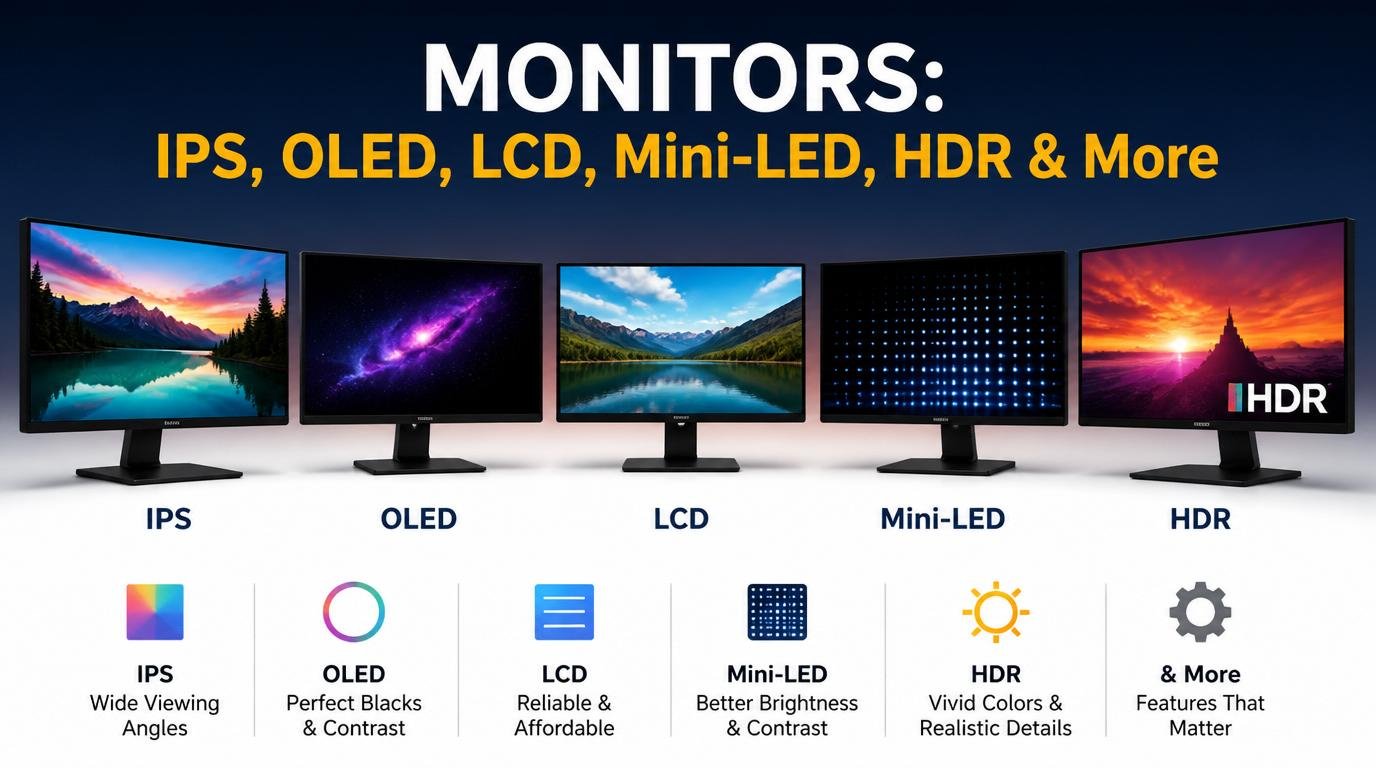
Display Technologies
IPS Panel
- Better colors
- Wide viewing angles
OLED Display
- Deep blacks
- Vibrant colors
Mini-LED
- Excellent brightness
- Premium laptops
Refresh Rate
Higher refresh rates provide smoother visuals.
| Refresh Rate | Usage |
|---|---|
| 60Hz | Standard |
| 120Hz | Smooth experience |
| 144Hz | Gaming |
| 240Hz+ | Competitive gaming |
6. Battery
Battery life is crucial for portability.
Average Laptop Battery Life
| Laptop Type | Battery Life |
|---|---|
| Budget | 4-6 hours |
| Ultrabook | 8-15 hours |
| Gaming Laptop | 2-6 hours |
| MacBook | 12-20 hours |
Factors affecting battery:
- Screen brightness
- Processor efficiency
- Running applications
- GPU usage
7. Keyboard and Touchpad
Important for productivity.
Features include:
- Backlit keyboards
- RGB lighting
- Mechanical keyboards
- Precision touchpads
8. Ports and Connectivity
Common laptop ports:
- USB-A
- USB-C
- Thunderbolt
- HDMI
- Ethernet
- Audio jack
- SD card slot
Wireless connectivity:
- Wi-Fi 6
- Wi-Fi 6E
- Wi-Fi 7
- Bluetooth 5.x
Types of Laptops
Different laptops are designed for different users.
1. Ultrabooks
Thin, lightweight, and portable.
Best for:
- Students
- Office users
- Travelers
Examples:
- Dell XPS
- MacBook Air
- ASUS Zenbook
2. Gaming Laptops
Designed for high performance.
Features:
- Powerful GPU
- High refresh rate display
- Advanced cooling
- RGB lighting
Popular brands:
- ASUS ROG
- MSI
- Alienware
- Lenovo Legion
3. Business Laptops
Focused on productivity and security.
Features:
- Fingerprint scanner
- TPM security
- Long battery life
Examples:
- Lenovo ThinkPad
- HP EliteBook
4. 2-in-1 Convertible Laptops
Can work as both laptop and tablet.
Features:
- Touchscreen
- Stylus support
- Foldable hinge
5. Chromebooks
Run on ChromeOS.
Best for:
- Web browsing
- Online learning
- Basic office work
Advantages:
- Affordable
- Fast boot
- Simple interface
6. Workstation Laptops
Built for professionals.
Used for:
- 3D rendering
- CAD software
- AI workloads
- Engineering
Laptop Operating Systems
Windows
Most popular operating system.
Advantages:
- Wide software support
- Gaming compatibility
- Flexible hardware options
macOS
Apple’s operating system.
Advantages:
- Smooth optimization
- Excellent battery life
- Creative applications
Linux
Open-source operating system.
Popular among:
- Developers
- Programmers
- Cybersecurity professionals
Important Laptop Features
1. Cooling System
Good cooling prevents overheating.
Common cooling methods:
- Heat pipes
- Vapor chambers
- Dual fans
2. Build Quality
Materials include:
- Plastic
- Aluminum
- Magnesium alloy
Premium laptops use metal bodies for durability.
3. Webcam and Audio
Modern laptops include:
- HD webcams
- AI noise cancellation
- Dolby Atmos speakers
4. Security Features
Important security options:
- Fingerprint scanner
- Facial recognition
- TPM chip
- Privacy shutter
Laptop Categories by Usage
For Students
Recommended Specs:
- Intel i5/Ryzen 5
- 8GB RAM
- 512GB SSD
For Gaming
Recommended Specs:
- RTX GPU
- 16GB RAM
- 144Hz display
For Video Editing
Recommended Specs:
- Intel i7/Ryzen 7
- 32GB RAM
- Dedicated GPU
For Programming
Recommended Specs:
- 16GB RAM
- Fast SSD
- Good keyboard
For Office Work
Recommended Specs:
- 8GB RAM
- Lightweight design
- Long battery life
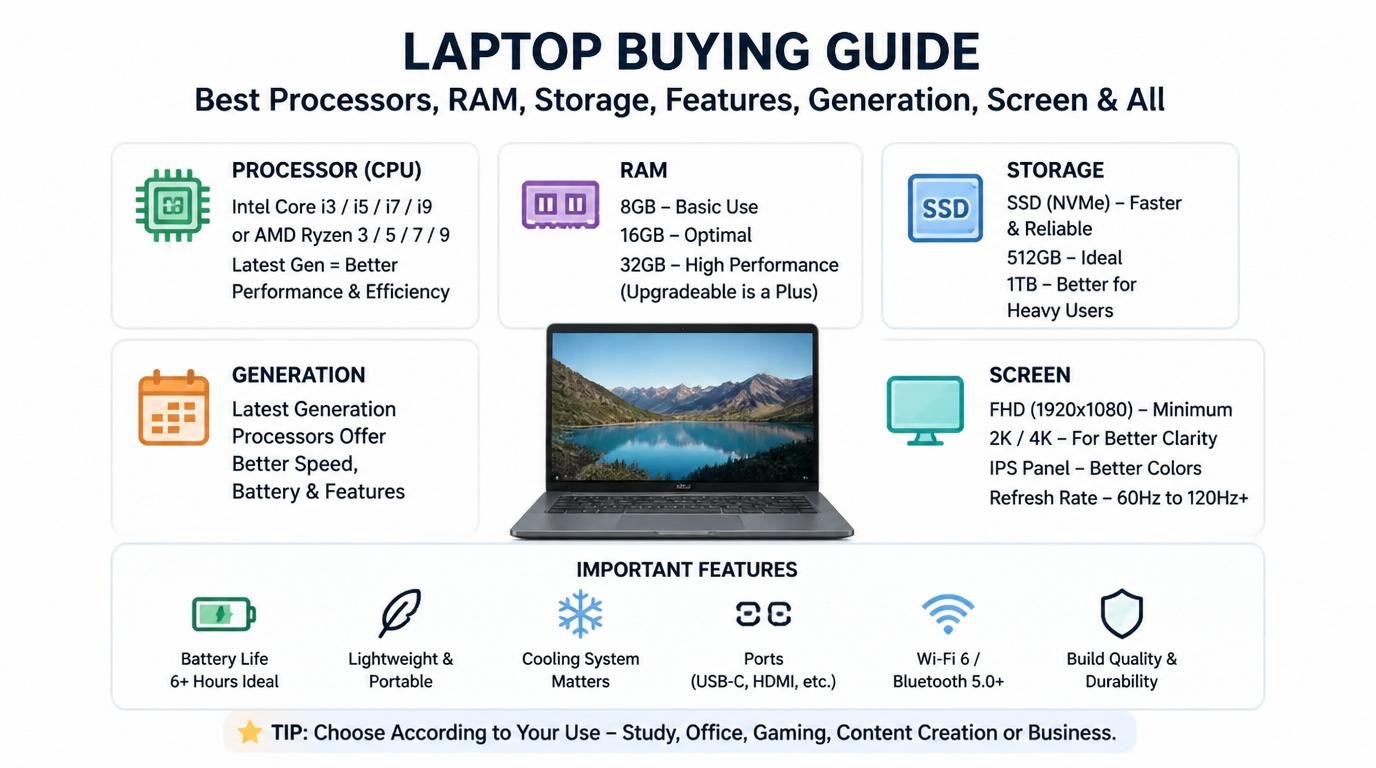
Laptop Buying Guide
Before buying a laptop, consider:
1. Budget
| Budget | Laptop Type |
|---|---|
| Low Budget | Basic laptops |
| Mid-Range | Productivity laptops |
| Premium | Gaming/workstation |
2. Usage
Choose according to:
- Gaming
- Study
- Editing
- Business
- Programming
3. Portability
Check:
- Weight
- Thickness
- Battery life
4. Upgradeability
Some laptops allow:
- RAM upgrades
- SSD upgrades
Thin ultrabooks may have soldered components.
Common Laptop Problems
Overheating
Causes:
- Dust
- Poor cooling
- Heavy workloads
Slow Performance
Possible reasons:
- Low RAM
- HDD storage
- Malware
Battery Drain
Reasons:
- Background applications
- High brightness
- Aging battery
Laptop Maintenance Tips
Keep the Laptop Clean
- Clean vents regularly
- Use microfiber cloth
Avoid Overcharging
Modern batteries are smart, but excessive heat reduces lifespan.
Update Software
Keep:
- Drivers
- BIOS
- Operating system
updated.
Use Antivirus
Protects against:
- Malware
- Viruses
- Ransomware
Future of Laptops
The laptop industry is evolving rapidly.
Future technologies include:
- AI-powered processors
- Foldable displays
- Better battery technology
- Cloud computing integration
- Advanced cooling systems
- Neural processing units (NPUs)
Advantages of Laptops
- Portable
- Energy efficient
- Compact
- Wireless connectivity
- All-in-one design
Disadvantages of Laptops
- Limited upgradeability
- More expensive repairs
- Heating issues
- Battery degradation
Best Laptop Brands
Some popular laptop manufacturers include:
- Apple
- Dell
- HP
- Lenovo
- ASUS
- Acer
- MSI
- Samsung
- Razer
Each brand targets different audiences and price segments.
Laptop Terminology Explained
| Term | Meaning |
|---|---|
| CPU | Central Processing Unit |
| GPU | Graphics Processing Unit |
| RAM | Temporary memory |
| SSD | Fast storage |
| HDD | Traditional storage |
| FPS | Frames per second |
| Refresh Rate | Screen smoothness |
| Thermal Throttling | CPU slowing due to heat |
Conclusion
Laptops have transformed the way people work, learn, and communicate. Choosing the right laptop depends on understanding your needs, budget, and usage requirements.
Whether you need a lightweight ultrabook for college, a gaming laptop for high-end performance, or a workstation for professional editing and engineering, understanding components like processors, RAM, storage, graphics, and displays is essential.
As technology advances, laptops are becoming more powerful, efficient, and intelligent than ever before. Investing in the right laptop can improve productivity, creativity, entertainment, and overall digital experience for years to come.